
What Happens to Your Missionary's Email Account After the Mission?
A missionary's Church email account is deactivated and deleted after release, often within about 90 days. Here is how to save the emails and photos before they're gone.
During their service, missionaries use a Church-issued email account with 30 GB of storage for weekly emails and photos. After a missionary is released, that account is deactivated and its contents are permanently deleted, commonly within about 60 days. Families should export the emails and photos to a personal account quickly, or turn them into a printed keepsake book, because once the account is purged the messages and images cannot be recovered.
During a mission, missionaries for The Church of Jesus Christ of Latter-day Saints use a Church-issued email account with 30 GB of storage to send weekly emails and photos home. After the missionary is released, that account is deactivated, and its contents are permanently deleted, commonly within about 60 days. Once the account is purged, the emails and photos are gone for good and cannot be recovered, so families need to save everything quickly.
In This Article
The Missionary Email Account, Explained
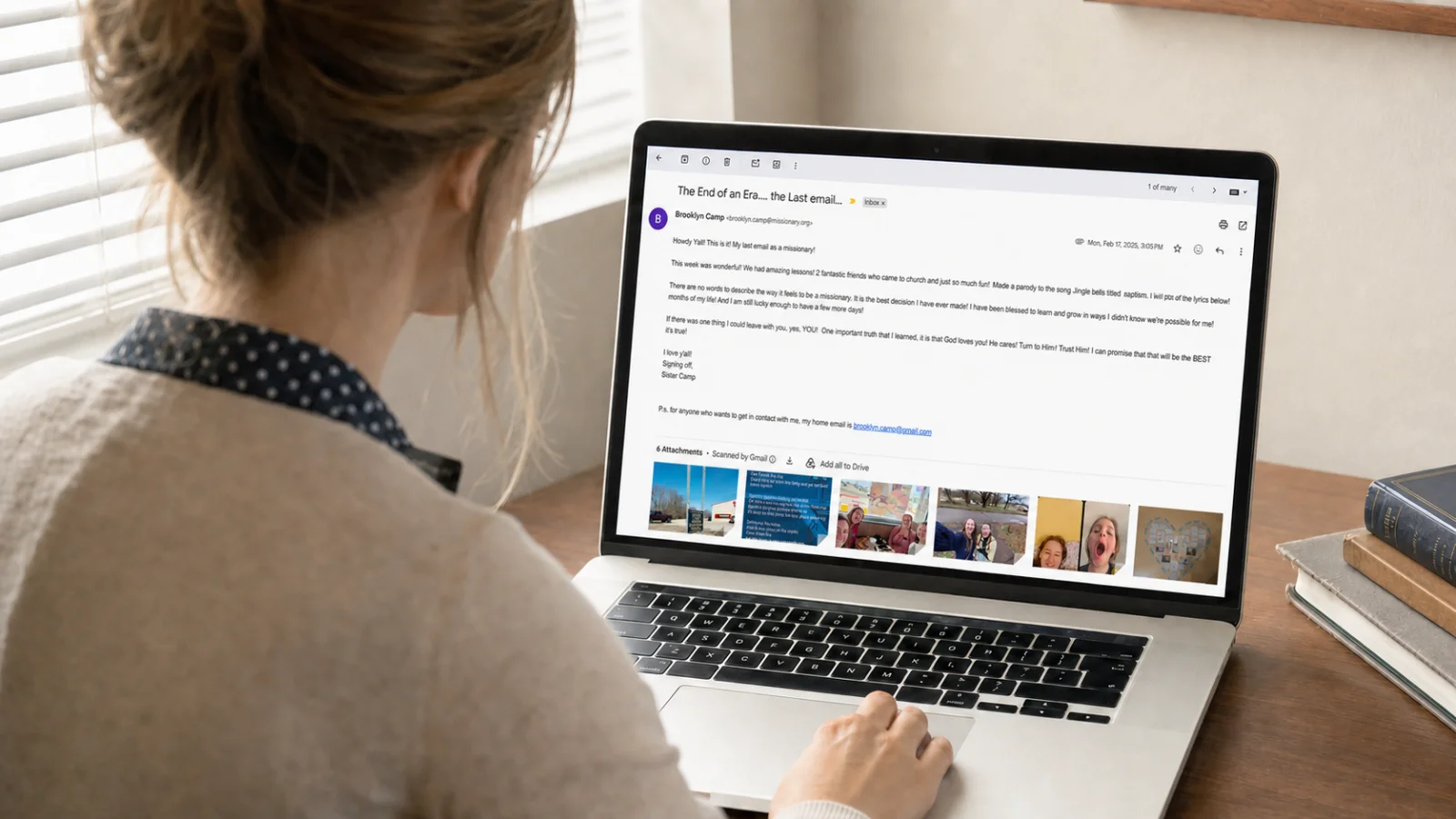
When a missionary begins service, they receive a Church email account used for the weekly email home and for mission communication. Over an 18- to 24-month mission, a missionary typically sends 75 to 100 weekly emails, often with dozens of photos attached. That account becomes the single richest record of the entire mission: spiritual experiences, companion stories, cultural discoveries, and small miracles, written in the missionary's own voice, week by week.
The Deletion Deadline Most Families Miss
Here is the part that catches families off guard: the account does not last forever. After a missionary completes their service, the account is deactivated and then purged. Families generally have a limited window, commonly cited as about 60 days from the release date, to export everything before it is permanently deleted. Wait too long, and even a call to Church support typically cannot bring the data back.
There is a bit of flexibility built into that window, though. Missionary.org accounts can sometimes be extended for individual access up to about 120 days after release. To try it, go to mail.missionary.org in a web browser (not the Gmail app), sign in with the missionary's Church Account credentials, click Extend Access, then select Go to Individual Email. Once inside, save everything immediately, since this extension narrows the safety margin rather than resetting it.
The homecoming is a whirlwind of reunions, talks, and readjustment, which is exactly why this deadline slips past so many families. The emails feel safe right up until the day they disappear.
Note: the exact window can vary. Treat 60 days as a deadline to act well before, not a guarantee, and don't wait.
What Gets Lost When the Account Is Deleted
Every weekly email: the complete written narrative of the mission
Hundreds of photos, often the only copies, from baptisms to street scenes
Attachments, addresses, and contacts the missionary collected
The exact dates and chronology that make the story make sense
How to Save the Emails and Photos
Act immediately after the homecoming. Don't wait for life to settle down. Start within the first weeks home.
Forward or migrate the email. Use the missionary portal and Google's tools to move messages and photos into a personal Gmail account the missionary controls.
Export with Google Takeout. Download a full copy of the mailbox and attached photos to a hard drive as a backup.
Save photos separately. Pull the images out of the emails and back them up to a personal photo library, too.
For a step-by-step walkthrough of safeguarding the whole archive, see our guide on how to preserve missionary photos and emails.
What to Do If You Missed the 60-Day Deadline
If the 60-day window, or the 120-day extension, has already closed, don't panic. Most of a missionary's story still lives outside that one account, scattered across other people's inboxes, phones, and photo libraries.
Ask the People Who Have Copies
Family and friends. Anyone who received the weekly emails, especially grandparents, often saved every message.
Companions. Missionaries who served alongside your missionary may still have shared photos or trip summaries, especially if they are still serving.
Ward leaders and members. Mission leaders, young single adults, and families taught during the mission often kept baptism and activity photos, along with saved emails.
Check Personal Devices and Social Media
Messaging apps. Export photos and videos from WhatsApp, iMessage, or mission group chats.
Social platforms. Use the "Download Your Information" tool on Instagram and Facebook to pull saved posts, stories, and captions.
Rebuild What You Can From Memory
A missionary will never remember more about the mission than they do right now, so it is worth writing a few things down even without the original files.
Testimony chapters. Write short reflections on faith before, during, and after the mission.
Top 10 lists. Miracles witnessed, favorite scriptures, lessons learned, or the funniest moments.
Map spread. Mark every area served on a map and add a short paragraph for each one.
Self-interview. Answer a few prompts, such as describing a companion, the hardest day, or a time the missionary felt clearly guided.
None of this replaces the original emails, but a record built from memories, other people's copies, and a handful of new reflections can still feel complete once it is put together.
A Better Option Than a Folder of Files
Exporting the emails saves the data, but a folder of files buried on a hard drive is rarely opened again. The emails were written to be read as a story. Turning them into a printed, hardbound book preserves the mission in a form your missionary, their future spouse, and their children will actually pick up off the shelf. Read how it works in our guide on turning missionary emails into a keepsake book.
This works whether the collection is complete or pieced together from recovered photos, borrowed copies, and a few written memories.
Frequently Asked Questions
Does the missionary email account get deleted?
Yes. After a missionary is released, the Church account is deactivated, and its contents are permanently deleted, commonly within about 60 days.
How long do I have to save the emails?
Treat it as roughly 60 days from the release date, but act as soon as the missionary is home. The window can vary, and the data is unrecoverable once purged.
Can the emails be recovered after deletion?
Generally no. Once the account is purged, the messages and photos cannot be retrieved, even by Church support.
What's the best way to keep the emails long-term?
Export them for safekeeping, then turn them into a printed keepsake book so the mission is preserved in a form the family will actually read.
What if I already missed the 60-day window?
Some accounts can be extended for individual access up to about 120 days after release through the missionary portal. If that window has also passed, reach out to family, companions, and ward members who may have saved copies, and check personal devices and social media for backup material.
Can I still make a keepsake book without every email?
Yes. A keepsake book can combine whatever emails and photos survive with copies gathered from family and companions, plus a few new written reflections, so the finished story still feels complete.
Don't Let Your Mission Vanish
An entire mission lives inside an account that's set to delete itself. Start your missionary's keepsake book, and we'll help you turn those weekly emails and photos into a hardbound book before the account closes, so the most spiritually intense chapter of your missionary's life is preserved forever, not erased on a deadline.
Key takeaway: The Church email account is temporary and is deleted after release, often within about 60 days, so save the emails and photos right away and turn them into a book that lasts.