
Every Photo, Every Week: New Features in My Missionary Book
Import your missionary's Google Photos, send up to 100 photos per email, and fit up to 5 photos on one page. See the new photo features in My Missionary Book.
My Missionary Book can now put every one of your missionary's photos in their book. You can import photos straight from Google Photos, send up to 100 photos with a single email, and fit up to 5 photos on a single page with new photo page templates. Editing is all drag and drop, and the new cropper makes it easy to adjust each photo.
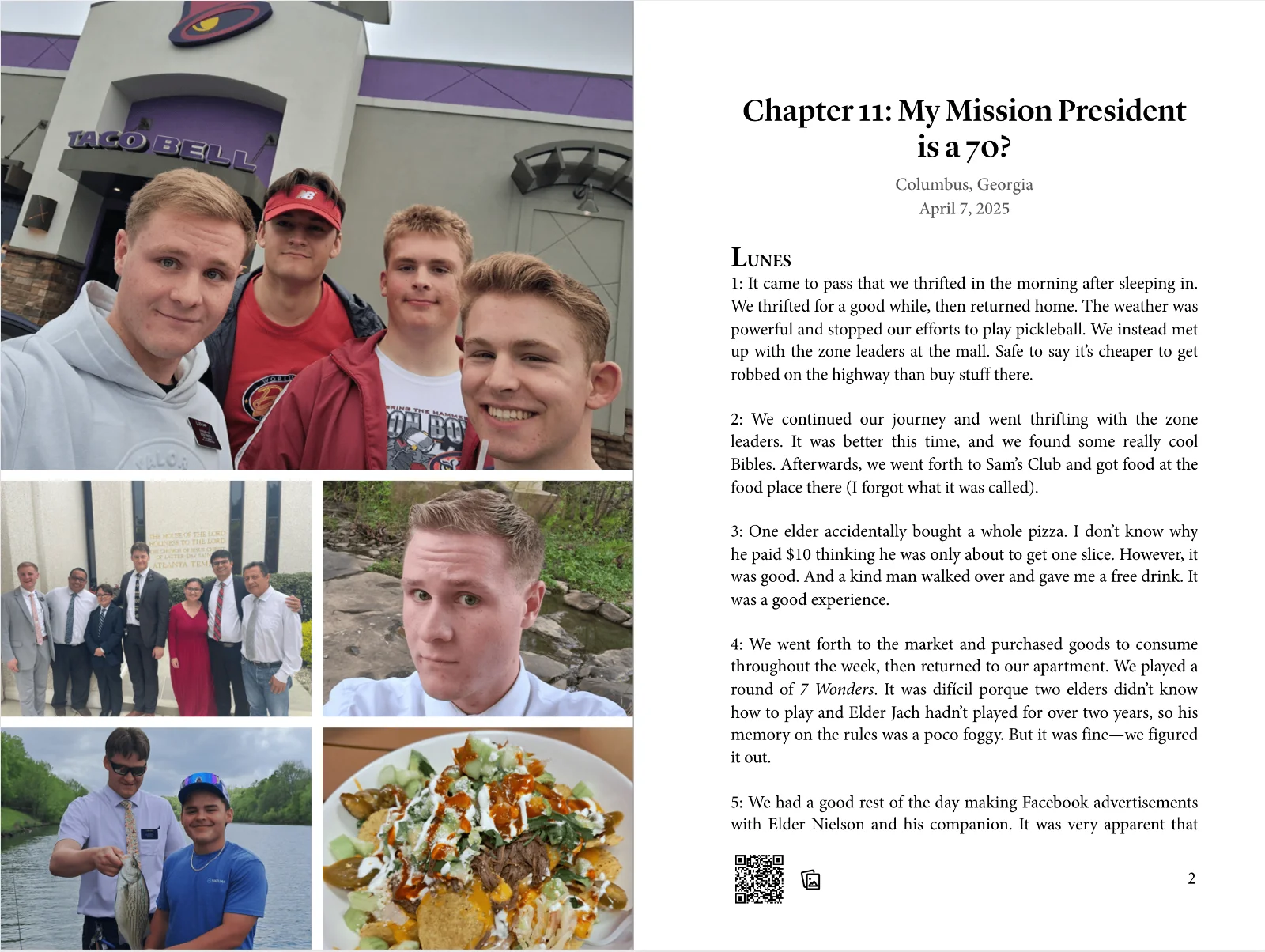
I saw the difference firsthand in my son Dallin's book. Dallin is serving a Spanish-speaking mission in Atlanta, Georgia. Before these updates, most of his photos would have lived behind a QR code that you had to scan to see. I recently went in and added a bunch of them right onto the pages, next to the emails they belong with. The book is so much richer now. You don't just read about his week, you see it.
Here's what changed and how to use each feature.
Can I import my missionary's Google Photos?
Yes. My Missionary Book now imports photos directly from Google Photos, so you no longer have to download photos to your computer and upload them.
This matters because nearly every missionary already has a Google Photos account. Missionaries get a Church-issued missionary.org account that includes Gmail, Google Drive, Google Photos, and Google Keep. Many missionaries share an album with family, or use Google Photos Partner Sharing, so you can see their pictures each week.
There's a deadline you should know about. Missionary accounts are deleted 60 days after the missionary returns home. Importing photos into the book as the mission goes keeps them safe long after that account is gone.
How to import from Google Photos
Ask your missionary to share their photos with your Google account through a shared album or Partner Sharing.
Log in to My Missionary Book and open the Storied book editor.
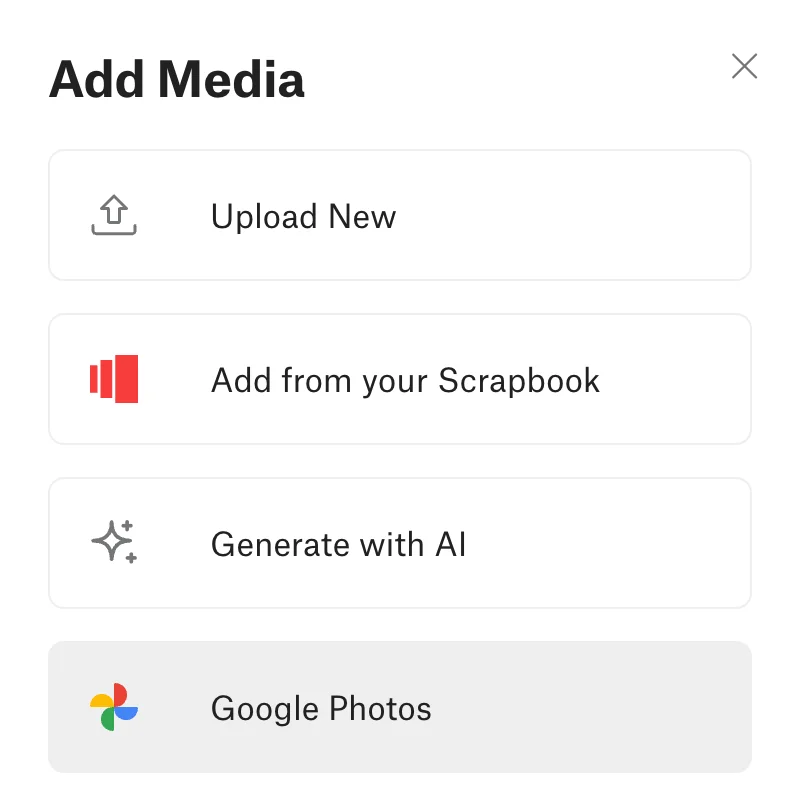
Select a story you want to work on and click Add Media.
Choose Google Photos and sign in with your Google account.
Select the photos you want and add them to the right week.
The photos land in that week's chapter, ready to arrange.
How many photos can my missionary send in one email?
Up to 100 photos per email, and every one of them can go in the book. When your missionary attaches photos to their weekly email, My Missionary Book pulls them in automatically with that week's letter. Nobody has to sort, download, or re-upload anything.
That's a big change. Until now, each week's chapter printed two featured photos, with a QR code linking to the rest. Now you can print the whole week with the chapter.
A quick note on page count. Every book includes up to 300 pages for $149. More photos can mean more pages, and extra pages are $0.30 each. Photo page templates, covered next, help you fit more photos on fewer pages.
Can I put more than one photo on a page?
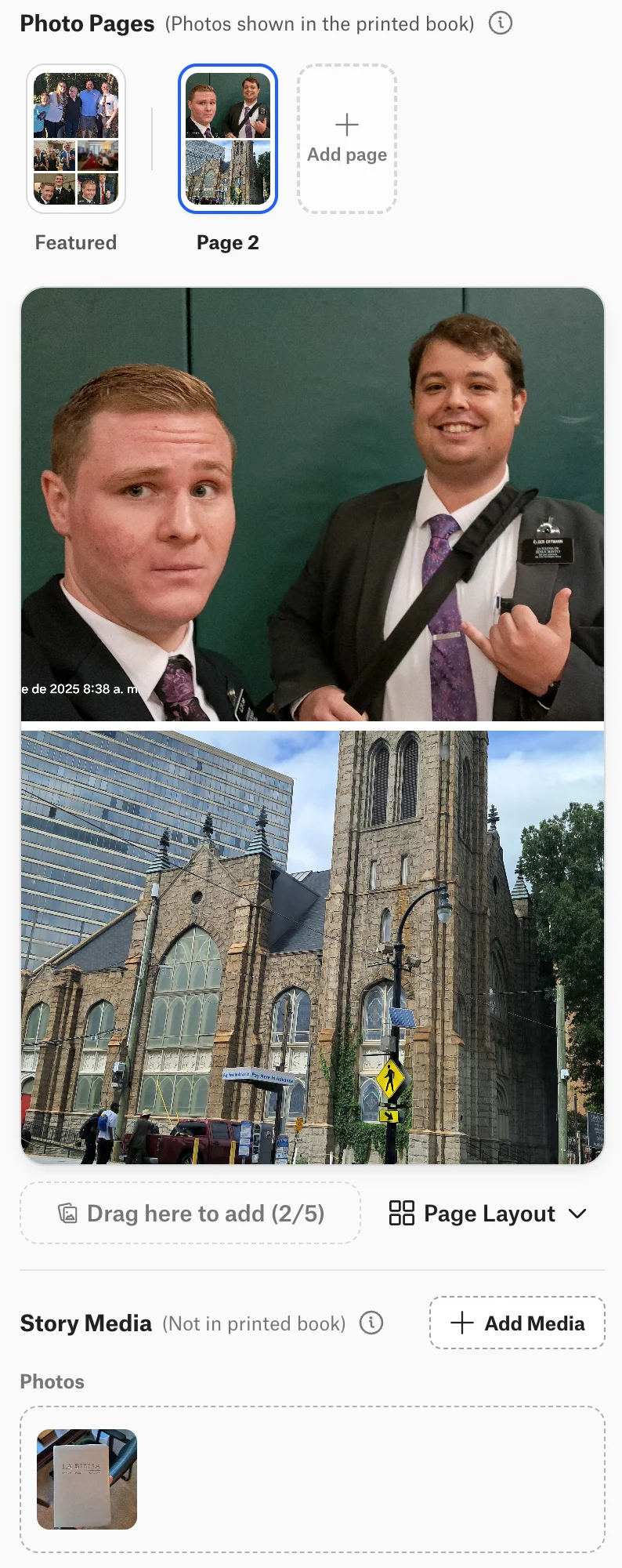
Yes. New layouts let you place up to 5 photos on a single photo page. Pick a layout, drop in your photos, and the page is done.
Multi-photo templates are a good fit for:
A full P-day: the hike, the lunch, and the companionship selfie on one page
Zone conference or transfer day group shots
Baptisms and the families your missionary taught
Before-and-after shots of a new area or apartment
They also keep your page count in check. Five photos on one template page take up one page instead of five.
How do I arrange and crop photos?
Everything is drag and drop. Drag a photo into a template, move it to a different spot on the page, or swap it with another. No menus or upload screens to dig through.
You can also rearrange your photo pages by clicking on the photo page and dragging it before or after another page.
We also rebuilt the image cropper. It's now easier to zoom, reposition, and frame each photo, so faces stay centered and nobody gets cut off at the edge of the page.
What to look for in a missionary book if photos matter
If photos matter to you, ask these five questions of any missionary book service. Here's how My Missionary Book answers them today.
Question to ask | My Missionary Book |
|---|---|
Are photos from weekly emails captured automatically? | Yes, up to 100 per email |
Can I bring in photos from Google Photos? | Yes, direct import |
Do all the photos print, or only a few per week? | All of them, your choice |
Can I fit several photos on one page? | Yes, templates with up to 5 photos |
Can I arrange and crop photos myself? | Yes, drag and drop with a built-in cropper |
We built these features so a missionary's photos get the same care as their words. We think that makes My Missionary Book the best way to keep both.
Frequently asked questions
Do missionaries have Google Photos?
Yes. Missionaries receive a Church-issued missionary.org account that includes Google Photos, along with Gmail, Google Drive, and Google Keep. They can share photos with family through shared albums or Partner Sharing.
What happens to my missionary's photos after the mission?
Missionary accounts are deleted 60 days after the missionary comes home. Download the photos or import them into your book before then.
Is there a limit on photos per email?
Yes. My Missionary Book accepts up to 100 photos per email, and every one of them can go in the book.
Do more photos cost more?
Your $149 book includes up to 300 pages. Extra pages are $0.30 each. Photo page templates hold up to 5 photos, which keeps the page count down.
Can I add photos that weren't attached to an email?
Yes. Import them from Google Photos, or upload them from your computer, and place them in any week's chapter.
Can I start partway through the mission?
Yes. Forward the emails you've already saved, then import any photos from Google Photos. Forwarded emails are placed in order by date.
Can my missionary just send a Google Photos link in their email?
Unfortunately, no. Google doesn't allow outside services like ours to pull photos from a shared Google Photos link. Our Google Photos importer is the next best thing. Sign in, pick the photos you want, and they go straight into the book, with no downloading or re-uploading.
Start your missionary's book
Their mission won't last forever. Their book will. Start your missionary's book for $149, with up to 300 full-color pages, every photo you choose, and a free PDF copy. Want the details first? See how it works.